
Markdown editor for Windows 10 and 11
Write markdown without
looking at markdown.
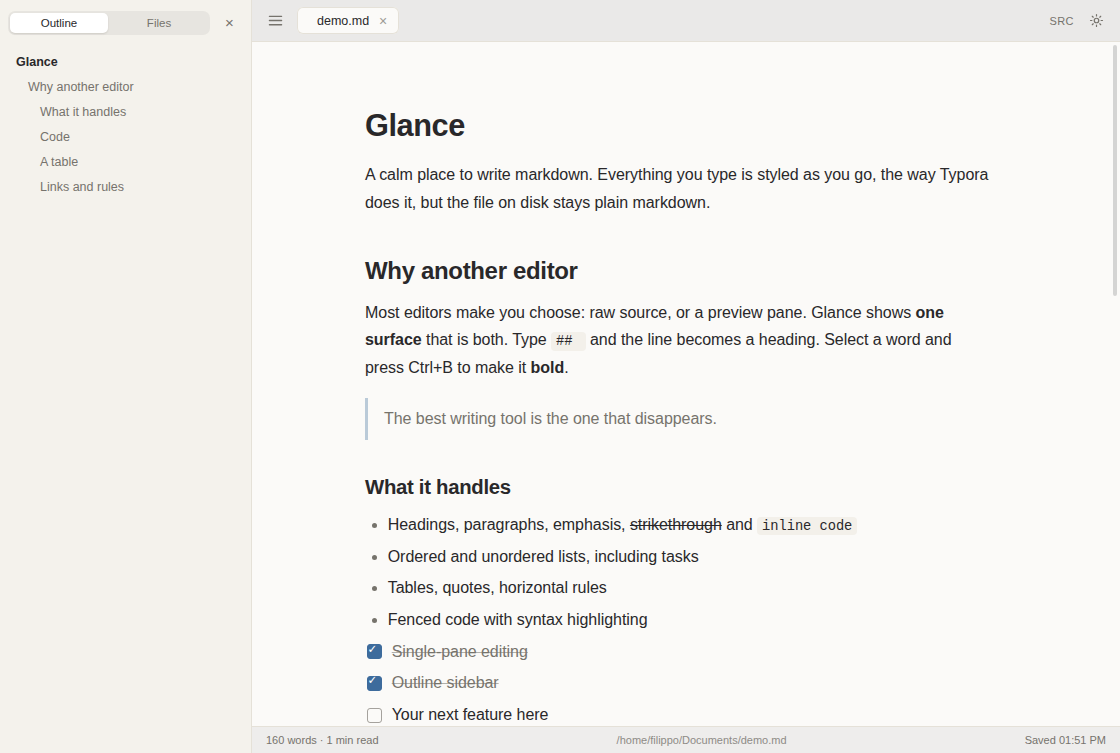
Glance styles the document as you type, in one pane. Type ## and the line
becomes a heading. Select a word, press Ctrl B, it turns bold.
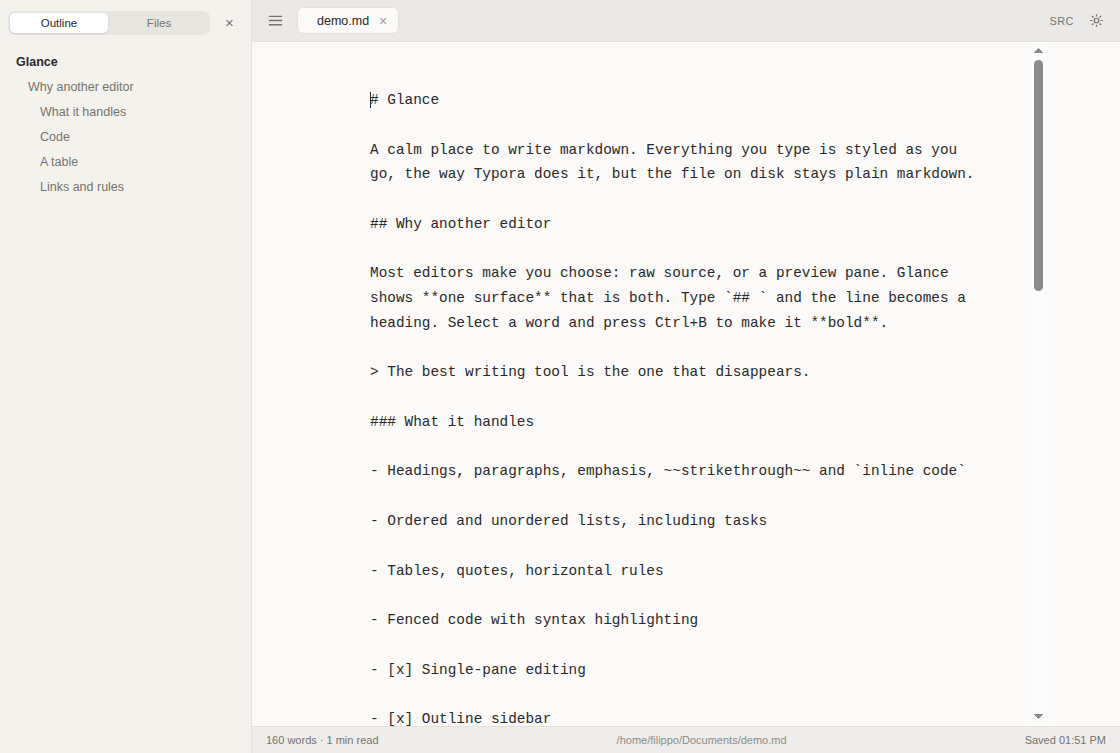
What you see while writing is the document. The file on disk stays plain markdown.
No account, no subscription.
What it does
- Live stylingHeadings, emphasis, strikethrough, inline code and links look like themselves while you type.
- Blocks that behaveQuotes, ordered and unordered lists, task lists with clickable checkboxes, tables with row and column editing, fenced code with syntax highlighting, horizontal rules.
- Outline and folder browserA live table of contents, and a file tree when you open a folder. Click a heading or a file and you are there.
- TabsSeveral documents in one window. Unsaved work is marked, and closing a tab with changes asks first.
- Find and replaceIn document, with match count, highlight, and replace all. Ctrl F.
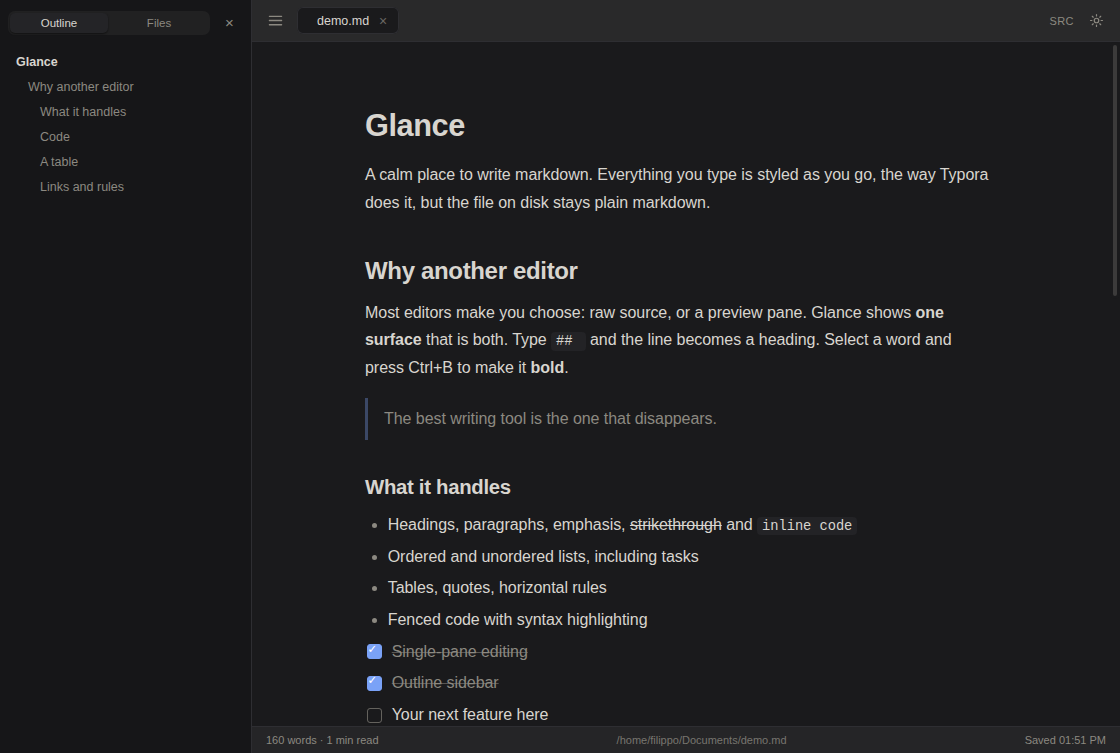
- Three themesPaper, Night and Sepia. Each one sets the page, the sidebar, the code colours and the chrome together.
- Focus and typewriterDim everything but the sentence you are in, or keep the caret on a fixed line while the page moves under it.
- Auto-saveSaves while you write, keeps your line endings (CRLF stays CRLF), and tells you when the file changed on disk.
- ExportStandalone HTML with images inlined, or a PDF through the system print dialog. No cloud round-trip.
- Word countWords and reading time in the status bar, plus the file path and the last save.
The file is yours
Glance parses markdown when it opens a file and writes markdown when it saves. There is no database, no sync account and no proprietary format to escape from. Open the same file in another editor and you will find exactly what you typed, formatted the way the markdown style guide says it should be.
Installer is 224 MB and installs for the current user, so it does not ask for administrator
rights. It registers .md, .markdown and .txt, so
double-clicking a document opens it in Glance.
## Why another editor

Most editors make you choose: raw source,
or a preview pane. Glance shows **one
surface** that is both.

- Headings, lists, tasks, tables
- Code with syntax highlighting
- Export to HTML and PDF
Windows 10 and 11, x64 and arm64
Glance
€5.99 one-time
- One installer for the current user, no admin prompt
- Free updates through the 1.x series
- Works offline; nothing is sent anywhere
- VAT included, handled by Creem as merchant of record
Pay by card. After payment you get a receipt and a download link by email.
Questions
The installer shows a warning. Is that normal?
Yes. The build is not code-signed yet, so Windows SmartScreen says "Windows protected your PC". Choose More info, then Run anyway. Signing certificates cost a few hundred euro a year; when the app earns them, it will get one.
Which Windows versions work?
Windows 10 and Windows 11, on x64 and on arm64. The same installer covers both. macOS and Linux are on the roadmap but not available yet.
How do I get the download after paying?
Creem, the payment provider, emails a receipt with a download button as soon as the payment clears. The same link is on the page you land on after checkout. Keep the email: the link works again for later versions.
What if I lose the email?
Write to filippogerin@gmail.com from the address you paid with and we will resend it.
Are refunds possible?
Sales are handled by Creem, which is the merchant of record and covers VAT and receipts in your country. If the app does not do what this page says, write to us and we will refund you.
Does it send my files anywhere?
No. Glance has no telemetry, no account and no sync. It reads and writes local files only. The two places it uses the network are the links you click and the update check, and neither carries your document.